How to make words on Brother PE770 popular embroidery machine - add, merge, combine designs with Free software
Brother PE770 is a good machine. I have a lot of customers who use it. Unfortunately there in machine is not build in merge designs function. I tried to find in Brother PE770 embroidery machine instructions how to combine designs. There is not such option, i think so. But this machine is good, it has enough big embroidery area size 5x7.
More expensive Brother machines have this function, i found them as ADD function. Like Disney Brother embroidery machine 1250D.
By the way, you are able to use free lettering embroidery software Embrilliance Express and BX format files.
Instructions below how to download this software and install it:
INSTRUCTION HOW TO DOWNLOAD FREE SOFTWARE
Fonts are available in BX format suitable for this software. You can do it easily for example using split fishtail Rodeo font from ARTAPLI ETSY shop
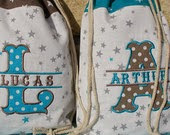
You will get your design combined within 5 minutes, it is easy. First you need:
1. Download software for Windows or Mac
2. Run this software as trial version, without any number. the number you need if you wish to digitize your own designs.
3. Then drag and drop to open software window files of font, it is one file - green icon.
4. The software is very easy. Choose the font style, type, move arrange and add.
5. Finally save as the file in needed file format
PES for Brother machines
HUS for Viking machines
INSTRUCTION HOW TO DOWNLOAD FREE SOFTWARE
Fonts are available in BX format suitable for this software. You can do it easily for example using split fishtail Rodeo font from ARTAPLI ETSY shop
You will get your design combined within 5 minutes, it is easy. First you need:
1. Download software for Windows or Mac
2. Run this software as trial version, without any number. the number you need if you wish to digitize your own designs.
3. Then drag and drop to open software window files of font, it is one file - green icon.
4. The software is very easy. Choose the font style, type, move arrange and add.
5. Finally save as the file in needed file format
PES for Brother machines
HUS for Viking machines
JEF for Janome machines
DST for Tajima machines ... and other file formats available
DST for Tajima machines ... and other file formats available
Instructions are clear. You can try it to download and install before you will purchase fonts. I have another shop with only fonts https://www.etsy.com/shop/FontsHeaven
